Solve multiplication facts to uncover a Halloween secret message, or choose Quick practice for a customizable worksheet. Print in black and white with an optional separate answer key. No ads or account needed.
Two fixed secret messages, or a fresh Quick practice sheet. Switching activities opens the prepared sheet; refresh keeps the activity in the address.
For learners who have practiced the 2, 5 and 10 tables. You need a pencil and one printed sheet. Fact 1 is the worked example; students still record every product and letter. Keep the answer page for checking afterward.
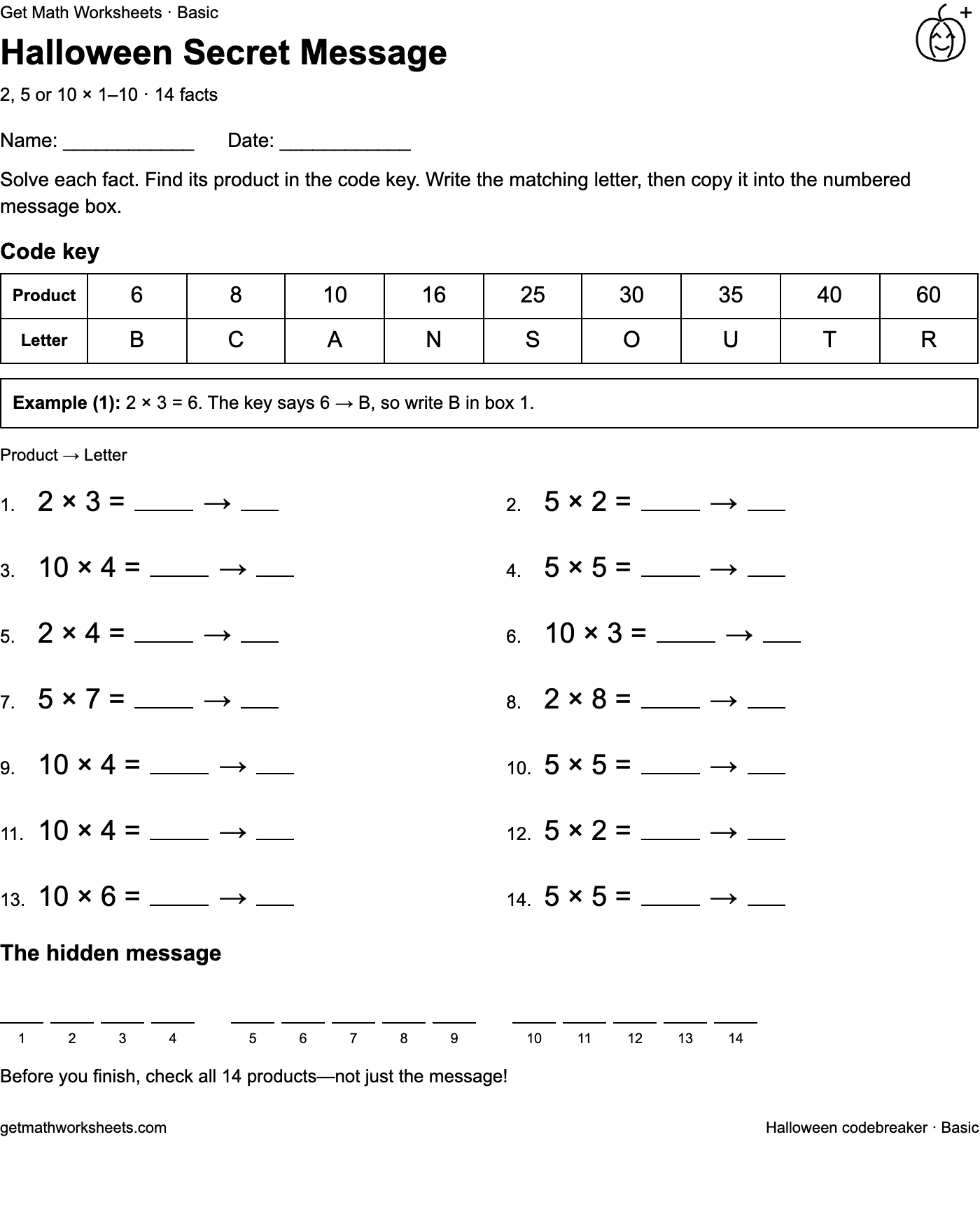
Get Math Worksheets · Basic
Halloween Secret Message
2, 5 or 10 × 1–10 · 14 facts
Name: ____________Date: ____________
Solve each fact. Find its product in the code key. Write the matching letter, then copy it into the numbered message box.
Code key
Product
6
8
10
16
25
30
35
40
60
Letter
B
C
A
N
S
O
U
T
R
Example (1): 2 × 3 = 6. The key says 6 → B, so write B in box 1.
Product → Letter
1.2 × 3 =→
2.5 × 2 =→
3.10 × 4 =→
4.5 × 5 =→
5.2 × 4 =→
6.10 × 3 =→
7.5 × 7 =→
8.2 × 8 =→
9.10 × 4 =→
10.5 × 5 =→
11.10 × 4 =→
12.5 × 2 =→
13.10 × 6 =→
14.5 × 5 =→
The hidden message
1234
56789
1011121314
Before you finish, check all 14 products—not just the message!
Basic · 14 facts · US Letter · 1 student page. Previewing answers does not include them in the printout.
Print opens your browser dialog. Match the paper size, use 100% scale, and turn off browser headers and footers. Choose Save as PDF there for a file.
Get Math Worksheets · Basic
Halloween Secret Message
2, 5 or 10 × 1–10 · 14 facts
Name: ____________Date: ____________
Solve each fact. Find its product in the code key. Write the matching letter, then copy it into the numbered message box.
Code key
Product
6
8
10
16
25
30
35
40
60
Letter
B
C
A
N
S
O
U
T
R
Example (1): 2 × 3 = 6. The key says 6 → B, so write B in box 1.
Product → Letter
1.2 × 3 =→
2.5 × 2 =→
3.10 × 4 =→
4.5 × 5 =→
5.2 × 4 =→
6.10 × 3 =→
7.5 × 7 =→
8.2 × 8 =→
9.10 × 4 =→
10.5 × 5 =→
11.10 × 4 =→
12.5 × 2 =→
13.10 × 6 =→
14.5 × 5 =→
The hidden message
1234
56789
1011121314
Before you finish, check all 14 products—not just the message!
Download the Halloween PDF pack
Ready to print: the same Basic and Mixed codebreakers shown here, with 14 facts each. Each four-page pack contains the Basic student sheet, its answer key, the Mixed student sheet, then its answer key. Print pages 1 and 3 for students; keep pages 2 and 4 for checking.
These are fixed activities. For a different worksheet, choose Quick practice in the controls above. You can still customize paper size and optional answers there and print with your browser.
Compare the two student sheets
These images show the actual Basic and Mixed activities. Open an image to inspect it; use the activity’s print controls above for fitted US Letter or A4 pages and a separate answer key.
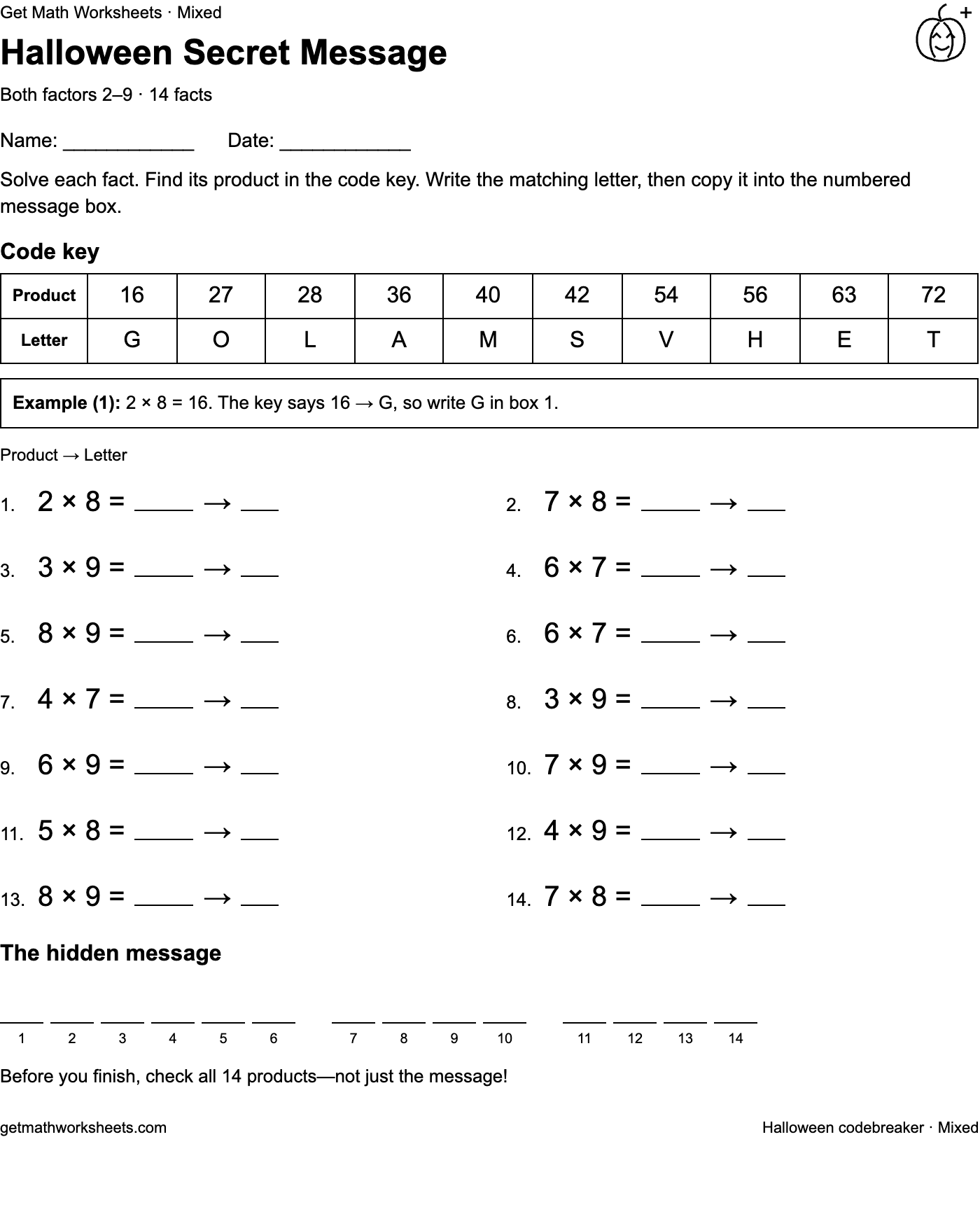
Basic · 2, 5 or 10 × 1–10Mixed · Both factors 2–9
A short Halloween practice break
Use the secret message as a classroom station or take-home activity with a pencil. Each of the two fixed messages has 14 facts, a code key and a worked example. Basic uses left factors 2, 5 or 10 and right factors 1–10. Mixed uses both factors from 2–9. Have learners record and check every product and letter; guessing the message alone is not the goal. For a warm-up or a fresh set of 12, 24 or 36 questions, choose Quick practice. Print student copies first and keep the answer page for checking afterward.
Which grades can use these worksheets?
For Grade 3 basic fact practice, choose facts the learner has already been taught. Grades 4–5 can use the same sheets to review multiplication facts; grade level alone does not determine the right settings. The Quick practice prepared sheet has left factors from tables 2–9 and right factors from 1–12, so it includes 10, 11, and 12 as an extension beyond one-digit products. The Mixed codebreaker stays within factors 2–9; Basic includes the 10 table. Check the preview against the lesson rather than treating the full range as a curriculum requirement. Every answer is calculated from its question.
Print or save your Halloween worksheet
Choose Basic codebreaker, Mixed codebreaker, or Quick practice. Choose US Letter or A4. In Quick practice, choose paper size beside the print button, open More options for right-factor settings, and choose any tables from 1–12 and 12, 24, or 36 questions.
Check “Include answer key when printing” if you want answers on a separate second page.
Choose “Print secret message” or the Quick practice print button. In your browser’s print dialog, match the paper size, use 100% scale, and turn off browser headers and footers. Choose Save as PDF there if you want a file.
Before you print
Can I print copies for my class for free?
Yes. Make and print copies for your class or home practice for free. There is no account or sign-up.
Does the worksheet include answers?
Use Answer key preview for a secret message, or the Answer key tab in Quick practice, to see the same questions with their answers. To print them, check “Include answer key when printing.” Answers appear on a separate page, never on the student sheet.
Will the Halloween decorations print in black and white?
Yes. The small line drawings and questions print in black on white paper. No color ink or background graphics are needed.
Can I make another set of questions?
The two codebreakers are fixed activities. Choose the other level for a different secret message. In Quick practice, choose New worksheet to make another set with your current settings. Changing paper size or viewing answers keeps the same questions.