Printable Multiplication Chart
A free printable multiplication chart from 1 × 1 to 12 × 12. Print it complete for reference, blank for practice, or partly filled in, on US Letter or A4.
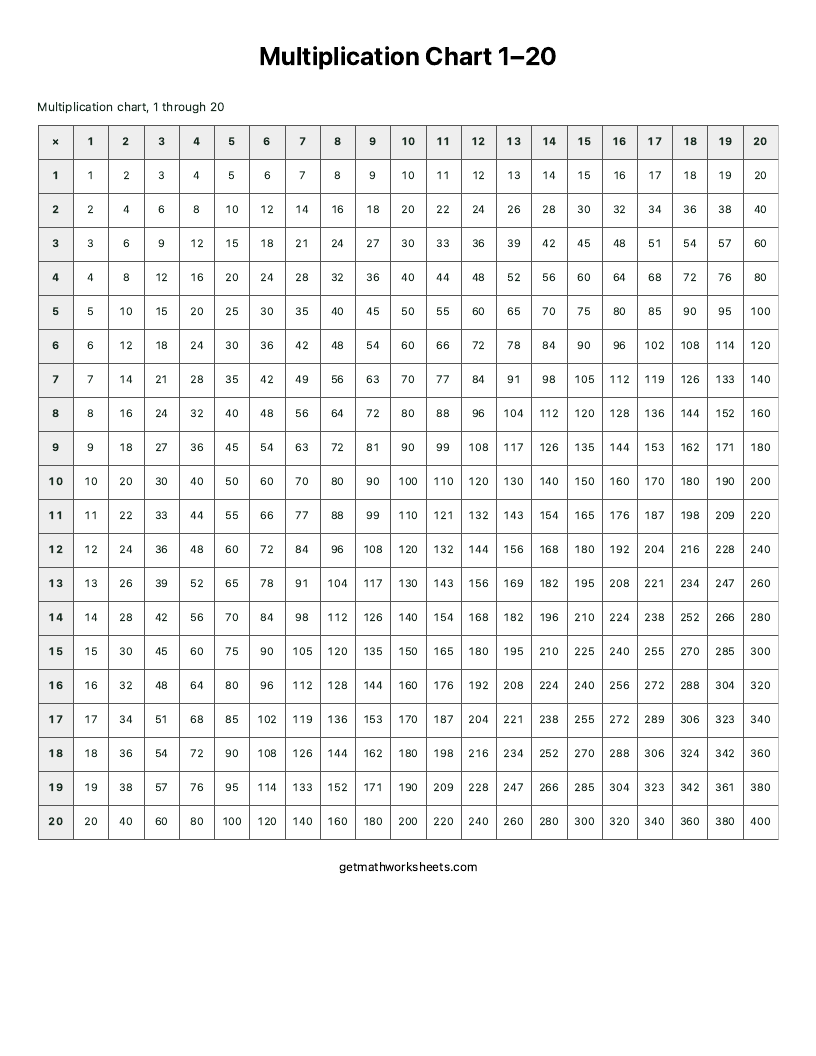
On this multiplication table, 10×10 products go from 1 to 100. The 1–100 is that product range, while a 1–100 hundreds chart is sequential and different. The 20×20 multiplication grid covers 1–20.
Multiplication Chart 1–12
Name ____________________ Date __________
For the 1–20 chart, scroll sideways to see every column. You can also focus the chart and use the arrow keys.
| × | 1 | 2 | 3 | 4 | 5 | 6 | 7 | 8 | 9 | 10 | 11 | 12 |
|---|---|---|---|---|---|---|---|---|---|---|---|---|
| 11 | 1 | 2 | 3 | 4 | 5 | 6 | 7 | 8 | 9 | 10 | 11 | 12 |
| 22 | 2 | 4 | 6 | 8 | 10 | 12 | 14 | 16 | 18 | 20 | 22 | 24 |
| 33 | 3 | 6 | 9 | 12 | 15 | 18 | 21 | 24 | 27 | 30 | 33 | 36 |
| 44 | 4 | 8 | 12 | 16 | 20 | 24 | 28 | 32 | 36 | 40 | 44 | 48 |
| 55 | 5 | 10 | 15 | 20 | 25 | 30 | 35 | 40 | 45 | 50 | 55 | 60 |
| 66 | 6 | 12 | 18 | 24 | 30 | 36 | 42 | 48 | 54 | 60 | 66 | 72 |
| 77 | 7 | 14 | 21 | 28 | 35 | 42 | 49 | 56 | 63 | 70 | 77 | 84 |
| 88 | 8 | 16 | 24 | 32 | 40 | 48 | 56 | 64 | 72 | 80 | 88 | 96 |
| 99 | 9 | 18 | 27 | 36 | 45 | 54 | 63 | 72 | 81 | 90 | 99 | 108 |
| 1010 | 10 | 20 | 30 | 40 | 50 | 60 | 70 | 80 | 90 | 100 | 110 | 120 |
| 1111 | 11 | 22 | 33 | 44 | 55 | 66 | 77 | 88 | 99 | 110 | 121 | 132 |
| 1212 | 12 | 24 | 36 | 48 | 60 | 72 | 84 | 96 | 108 | 120 | 132 | 144 |
Multiplication Chart 1–12 — Answer Key
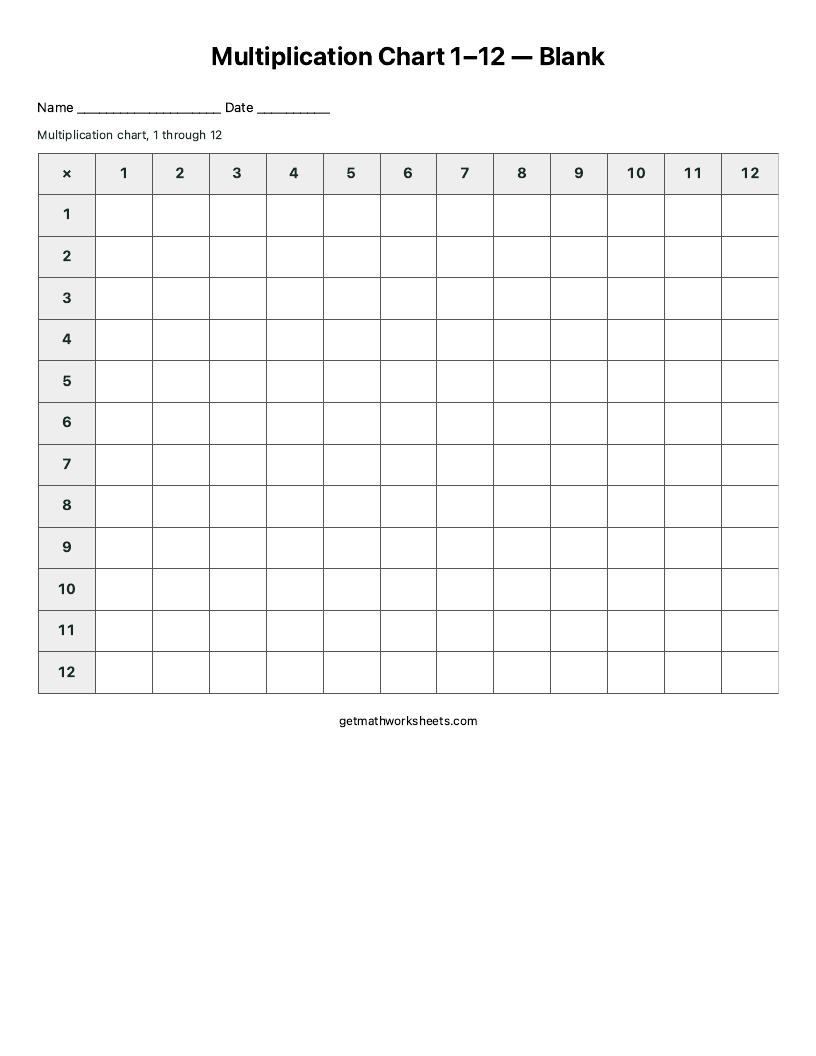
Two printable chart examples
These images are captured from the actual US Letter print output. Open an image to inspect it, or use its button to select the matching chart above. Choose US Letter or A4 in the controls before printing.
How to read a multiplication chart
Find 7 in the left row, then move across to column 8. Where they meet, you see 56: 7 × 8 = 56. Read that cell backwards for division: 56 ÷ 7 = 8 and 56 ÷ 8 = 7. Those facts are listed by divisor on the division chart. You can start with any row or column and use the chart to check a fact before trying it from memory.
Patterns to look for
The chart mirrors itself across the diagonal because 7 × 8 equals 8 × 7. A 12×12 chart has 144 cells and 78 unordered factor pairs: 12 equal-factor pairs on the diagonal and 66 other pairs. That does not mean 78 different products: for example, 2 × 6 and 3 × 4 both equal 12. The diagonal holds square numbers such as 4, 9 and 16. Answers in the 5 column end in 5 or 0, and those in the 10 column end in 0. From 9 × 1 through 9 × 10, the digits in each answer add to 9; 9 × 11 is 99, whose digits add to 18, so the digit-sum-of-9 shortcut does not cover the whole 12s range.
Ways to use blank and practice charts
Start by filling in rows you already know, then work toward harder facts. Use the row and column headers as clues, explain a missing product, and check accuracy before trying to work faster. Timing is optional. Print the separate answer chart to check work afterward, rather than placing answers on the student page.
Ready to move from checking a chart to solving a puzzle? Try the Thanksgiving multiplication worksheets or Christmas multiplication worksheets, with secret messages and separate answer keys.
Practice one table at a time
If the full chart feels busy, test yourself on the chart with online practice, use a custom multiplication worksheet, or choose one table to practice first. Once the facts are familiar, try an optional times tables speed test; choose your tables after opening it.
Multiplication chart questions
Which chart range should I choose?
Choose 1–10 for factors up to 10, 1–12 for factors up to 12, or 1–20 for an extended grid; the multiplication chart 1–20 page opens with that grid ready to print. The range names the row and column factors, not every possible number in the answers. Start with the range the learner is studying.
What is the difference between Blank and Practice?
Blank leaves every product cell empty while keeping the factor headers. Practice hides some products and leaves others as clues. New practice chart changes which cells are hidden; the multiplication facts stay the same.
How do I print a blank chart with answers?
Choose Blank or Practice, select US Letter or A4, and check Include answer chart when printing. Print / Save PDF opens your browser dialog with a separate completed answer chart. Match the paper size and turn off browser headers and footers there. The blank multiplication chart page starts blank and has ready-made PDFs for 1–10, 1–12 and 1–20.